
Task Trackr
UX/UI Design | Designer & Project Manager
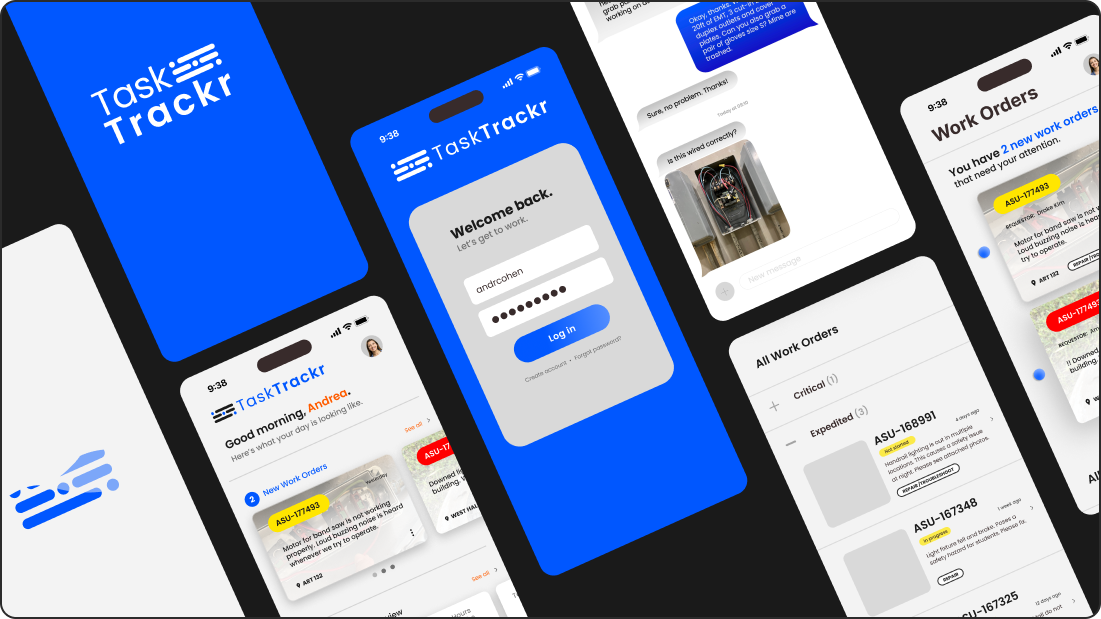
Task Trackr is a mobile application concept for maintenance work order management at large enterprises, such as school campuses, universities & hospitals.
Project Background
Who is the client?
Arizona State University’s Facilities Management team
What do they do?
They provide facilities maintenance services to ASU’s campuses. With over 55,000 on-campus students at their main Tempe campus alone, ASU relies on timely service to best support their students, faculty, staff, and visitors.
ASU facilities technicians currently use MobileTMA to manage work orders, but this mobile app is outdated, clunky, and consistently delivers subpar user experiences.
The problem statement
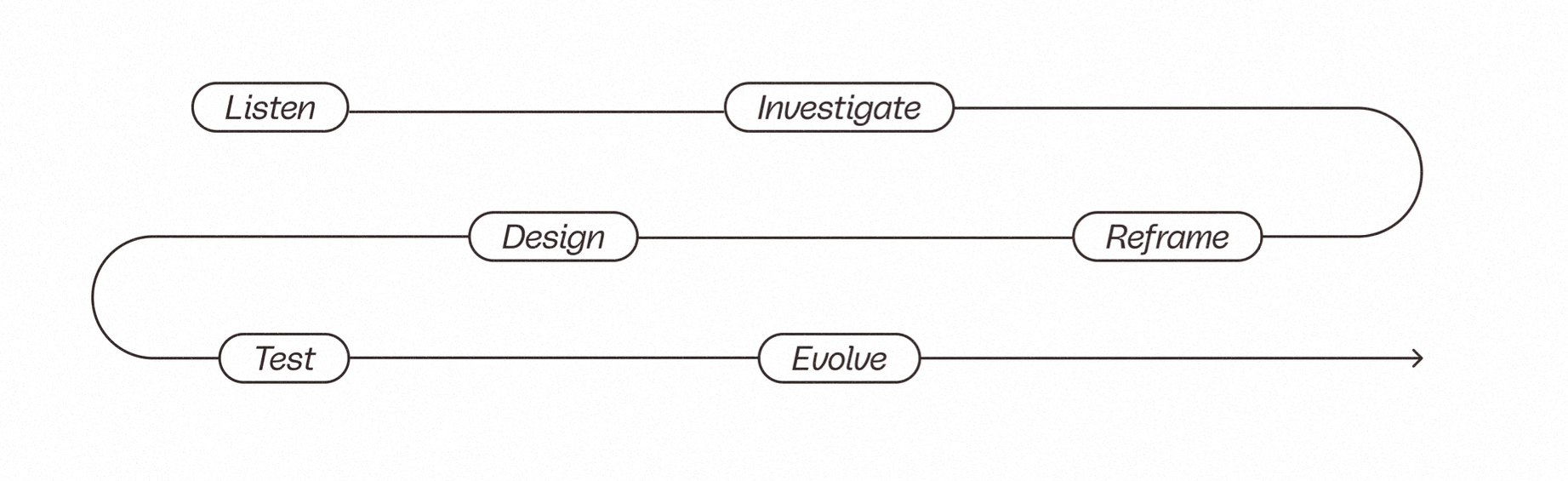
The design process
Listen

What I did
User Interviews
Surveys
Competitor analysis of Mobile TMA
“This app [MobileTMA] doesn’t update automatically, and when I push a button, I nothing happens.”
— John C., 65
“The interface is so outdated and unresponsive. It’s frustrating to use.”
— Maggie L., 26
100%
wanted more feedback to know the status of their actions
50%
felt too embarrassed to ask for repeated help using the app
100%
experienced frustration with the Mobile TMA app experience
90%
felt unsatisfied with the current solution
Investigate

What I did
Discovered hidden user needs & brainstormed features/functions to focus on based on current user and stakeholder insights
Dashboard overview highlighting time-sensitive information
Micro-interactions to provide immediate feedback and eliminate confusion
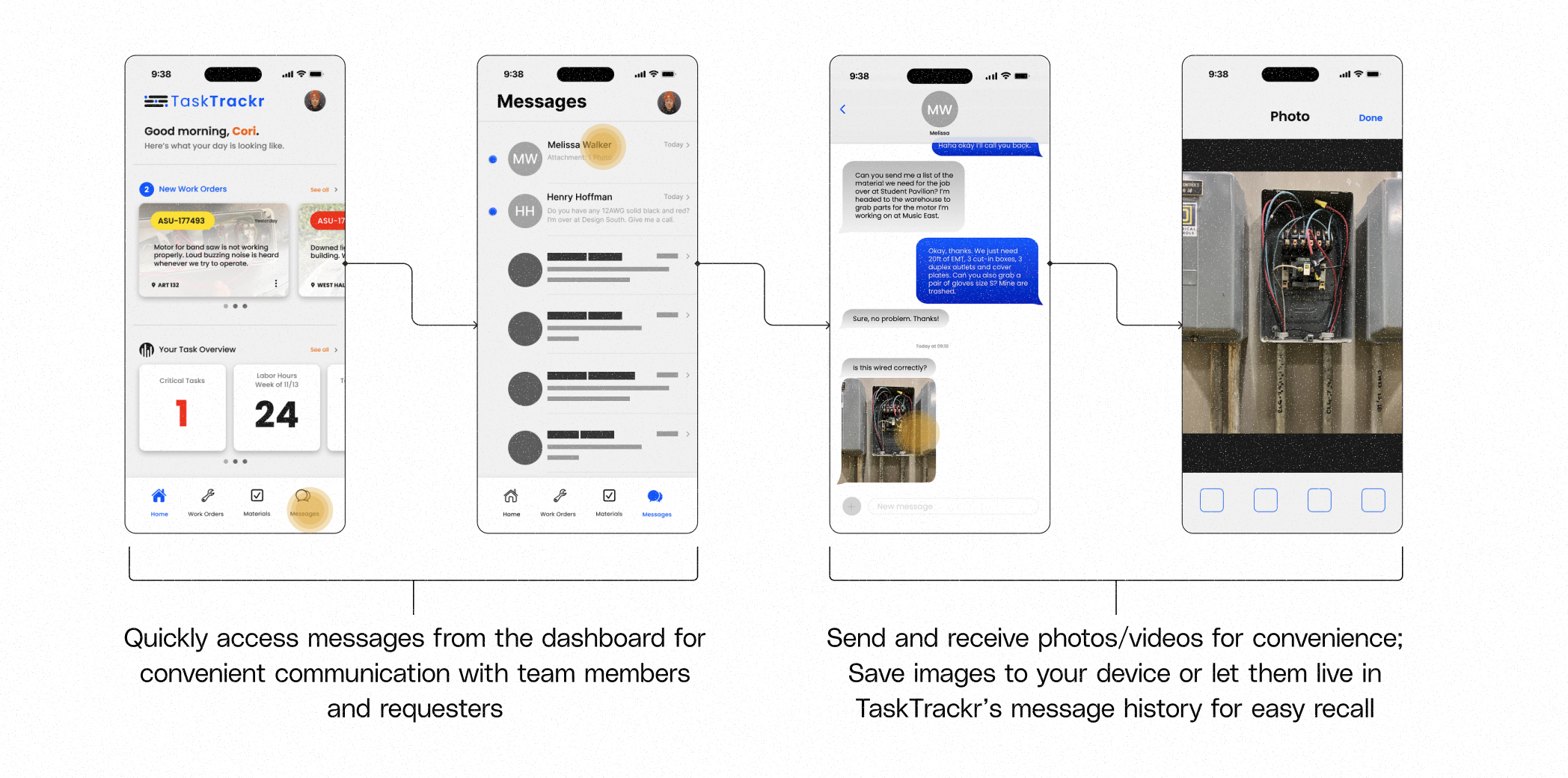
In-app communication with team & service customers
Filter/sort work orders quickly
Reframe

Define what really matters
How might we…
…create an intuitive platform for users of all ages to confidently navigate and perform their work?
…offer users immediate feedback to understand the meaning and status of their actions?
…prioritize communication via notifications, visual hierarchy, and messaging to support user and business needs?
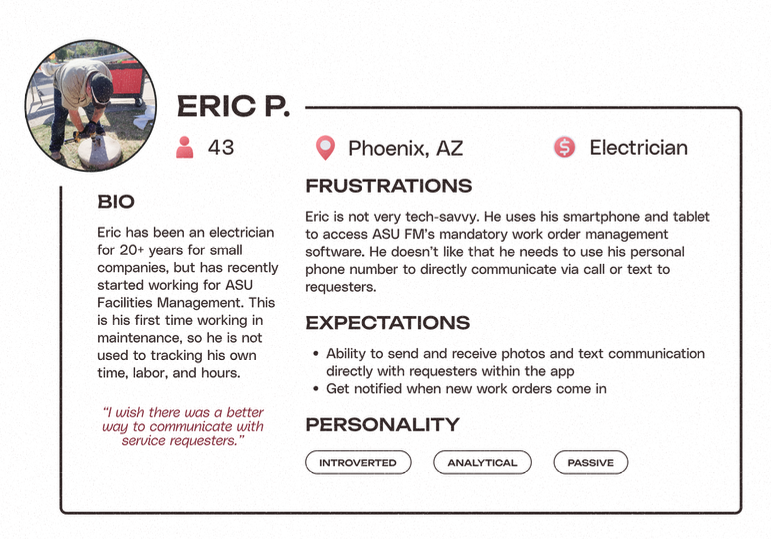
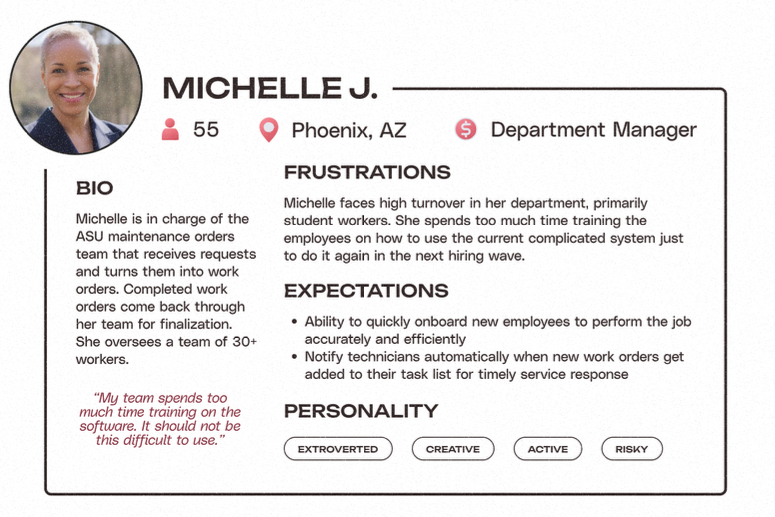
User Personas
I leveraged user personas to better understand the problem from both user and stakeholder standpoints.
Task Trackr’s Goals
Goal 1
Intuitive user flows to accomplish tasks and keep records accurate
Goal 2
Keep communication in-app with text & multimedia messaging
Goal 3
Micro-interactions to provide contextual feedback to users
The new problem statement
•
The new problem statement •
The ASU Facilities Management team needs a responsive mobile application that allows technicians to effectively manage service work orders and communicate with team members and customers. Customers also need a way to track the status of their service requests and communicate with their technicians.
Design
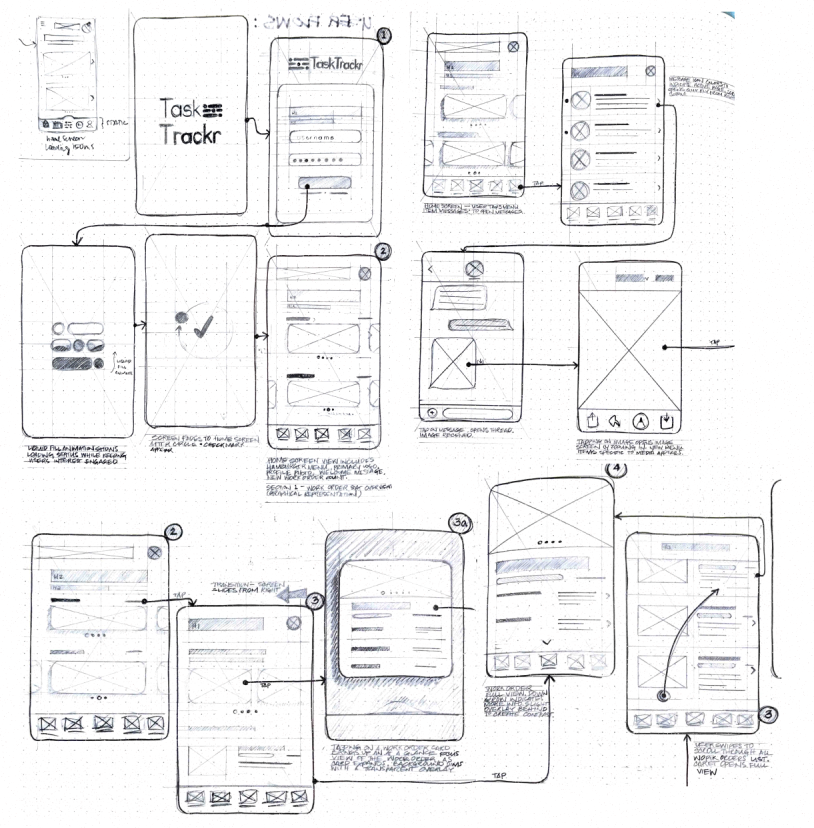
Sketch early concepts
The design process began with putting pen to paper in a sketch phase. I explored multiple layout and flow directions through quick sketches to test structure and hierarchy early. This allowed for rapid iteration and informed decision-making before moving into detailed wireframes.
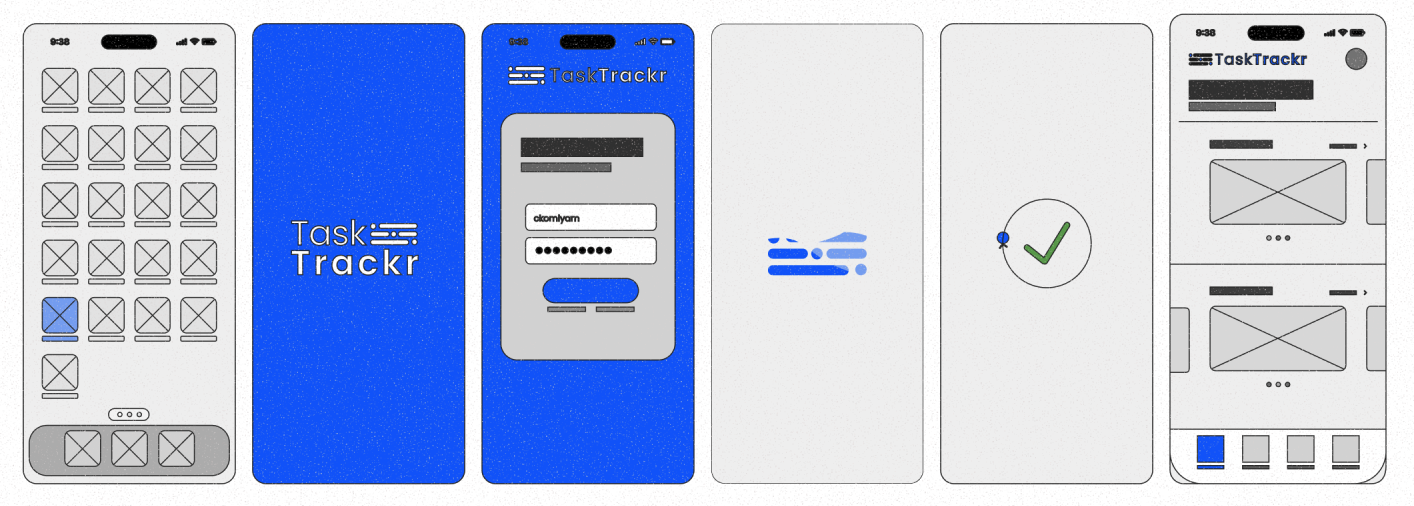
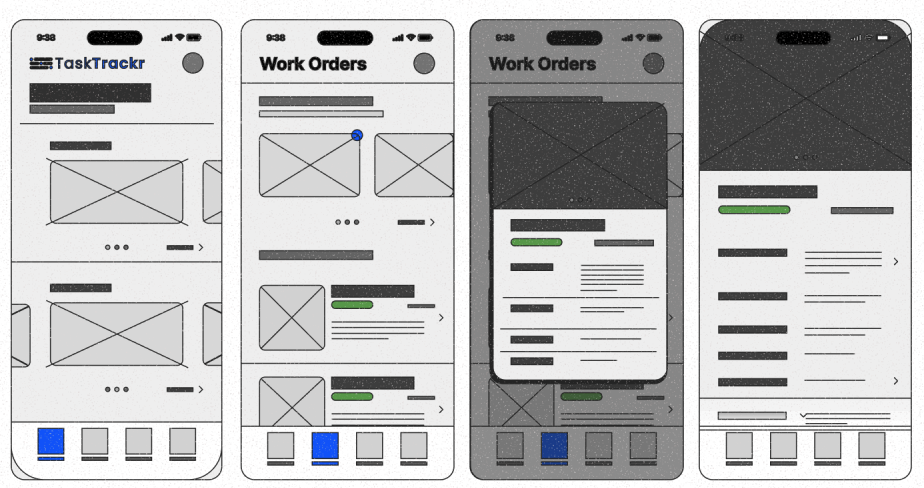
Wireframe user flows
I turned sketches into user flow wireframes to outline the layout, function, and content structure of Task Trackr.
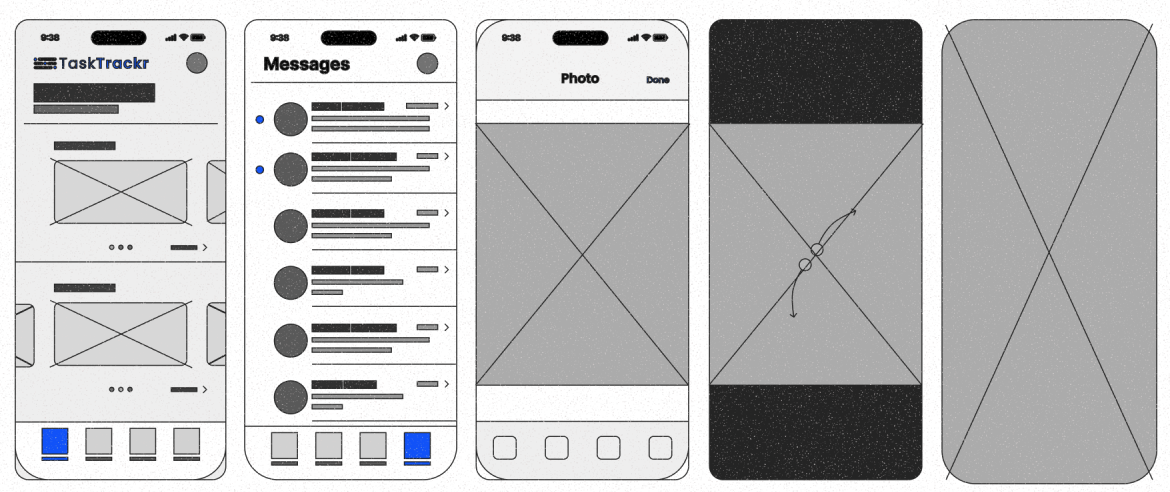
Test

Usability testing
To validate early design concepts, I conducted in-person think-aloud tests using low-fidelity wireframes.
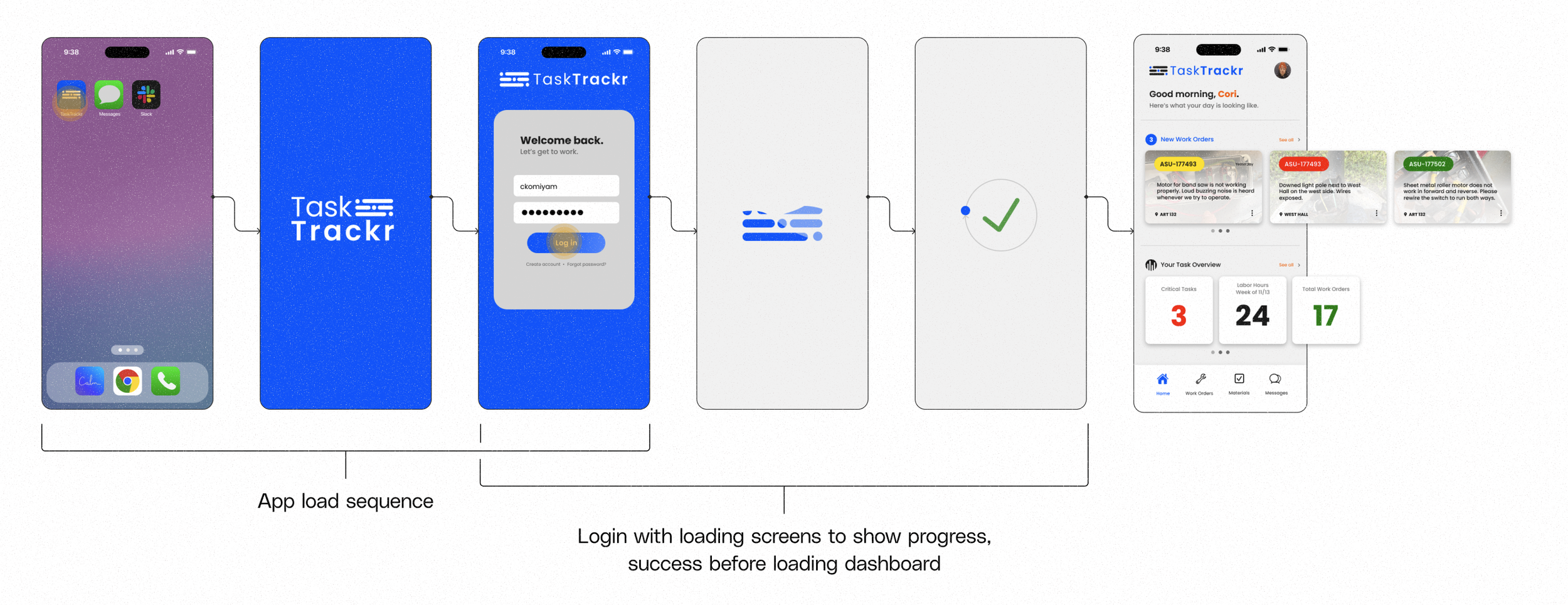
I asked users to talk through their thoughts and actions while performing basic daily tasks, such as logging in, viewing work order details, and sending a message.
Problem 1
Users have no way to sort work orders.
Solution: Add a collapsible menu to sort by status (Critical, Expedited, Routine, Scheduled)
Problem 2
Users need quick navigation to parts & materials.
Solution: Based on user feedback, Task List in the bottom navigation menu will be replaced with Parts/Materials.
Evolve

Iterate based on feedback
Redesign → Retest → High-fidelity wireframes → Prototype
During this stage of the design process, I take insights from the testing phase and refine through iteration.
I address newly identified problems, friction points, and hesitation with redesigns, retest high-fidelity prototypes with real users, re-evaluate performance and impact to continue refining.
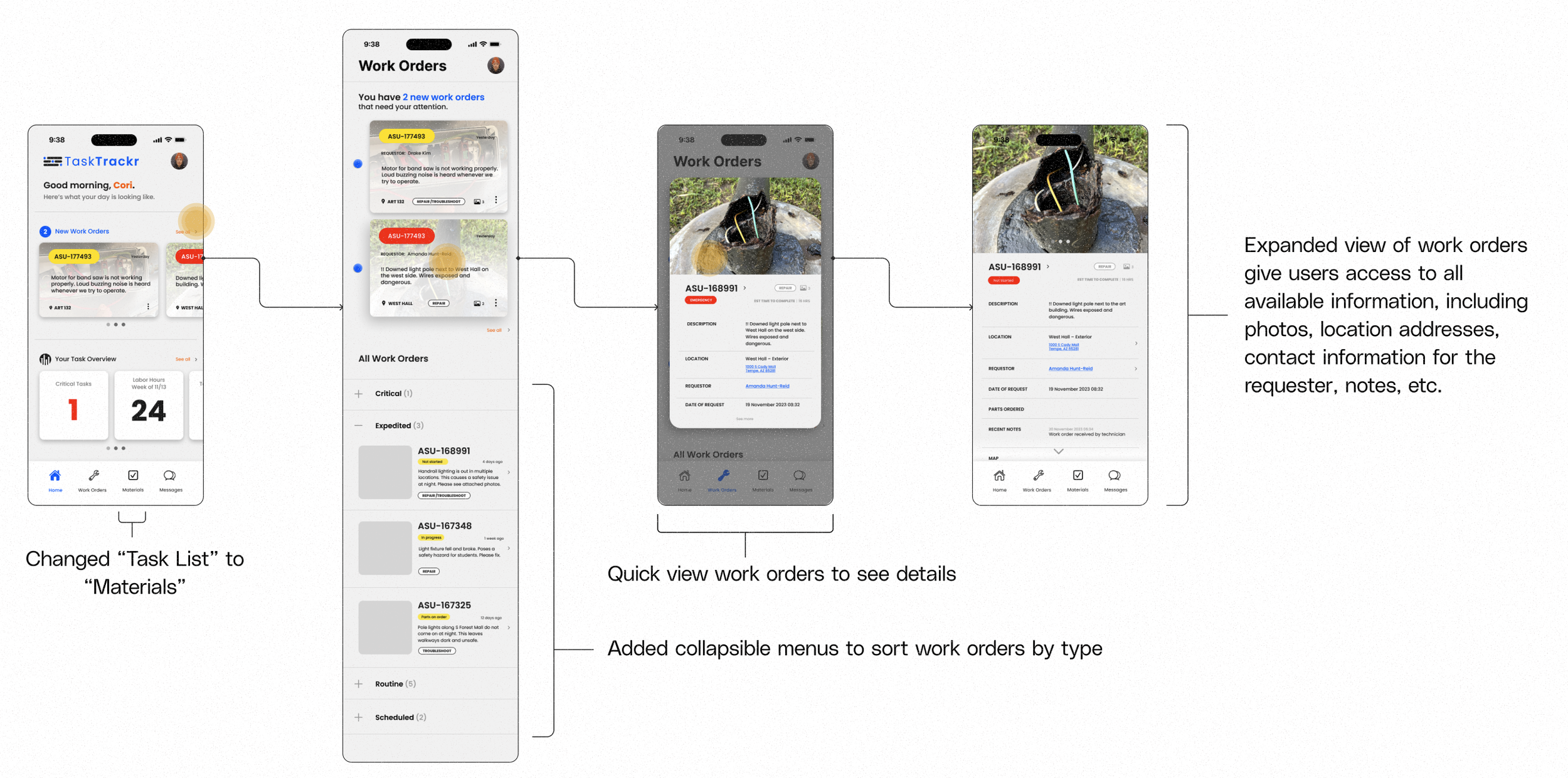
Usability re-testing insights
Problem 3
Users wants work order filters by tags.
Solution: Create a filter function while viewing all work orders using existing tags (repair, troubleshoot, estimate, etc.)
Problem 4
Users confused by Task Overview section.
Solution: Based on user feedback, section will be reworked for clarity. Instead of cards, tasks will be listed.
Problem 5
Materials page needs development.
Solution: User insights prioritize browsing parts catalog, ordering parts & materials from the supply warehouse, seeing status updates/ETAs.
Findings
100%
appreciated the inclusion of microinteractions
80%
liked the new dashboard layout
90%
reported feeling more confident using the Task Trackr app compared to MobileTMA
70%
decrease in frustration while performing regular tasks with Task Trackr
Planned next steps
Redesign screens and user flows to address newly identified issues
Prototype user flows in Figma
Retest for insights and performance metrics
Repeat for improvement & lasting impact
See more projects
Brand identity for a new small business startup.
Website for a fictional brewing company.